


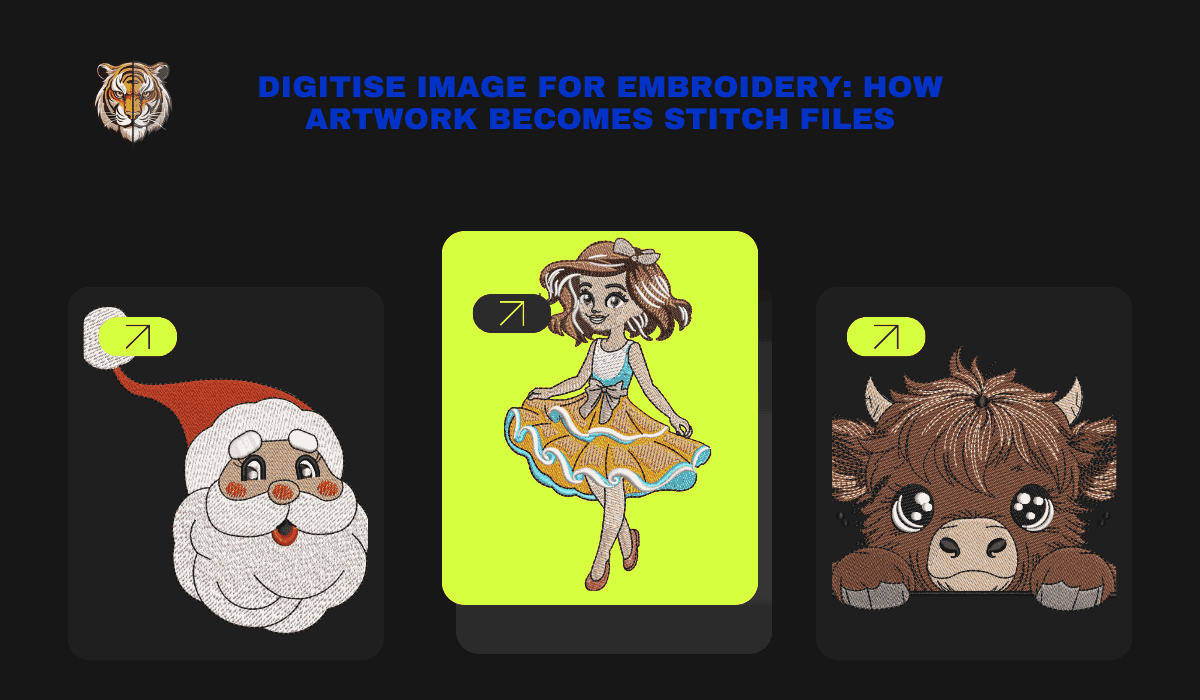
Turning digital artwork into embroidery-ready files is a technical process that requires more than basic software conversion. When businesses digitise image for embroidery, the goal is to translate visual elements into precise stitch instructions that embroidery machines can execute accurately. This transformation involves stitch planning, fabric consideration, and machine compatibility to ensure the final embroidery matches the original artwork as closely as possible.
Unlike printing, embroidery uses thread, tension, and fabric interaction, making digitizing a specialized skill. Each step in the process plays a critical role in how the design stitches, holds shape, and performs during production.
Understanding the Difference Between Artwork and Stitch Files
Artwork files such as JPG, PNG, AI, or PDF are visual formats created for screens or print. Embroidery machines, however, do not recognize images. They operate using stitch-based files like DST, PES, or EXP.
Digitising an image for embroidery means converting visual shapes into stitch paths. Every line, fill, and curve must be recreated using embroidery stitches. This conversion is done manually by professional digitizers who understand embroidery mechanics, not automatically by software.
Step One: Artwork Evaluation and Cleanup
The digitizing process starts with reviewing the provided artwork. Clean, high-resolution artwork produces better embroidery results, but even complex or low-quality images can be digitized with proper planning.
Digitizers analyze line thickness, color separation, and design complexity. Unnecessary details are simplified where needed to ensure stitch clarity. This step ensures the embroidery remains readable and production-friendly.
Step Two: Choosing Appropriate Stitch Types
Different elements of a design require different stitch types. Common stitch types include satin stitches for text and borders, fill stitches for larger areas, and running stitches for fine details.
Professional digitizers select stitch types based on design structure and fabric behavior. This decision directly affects texture, durability, and visual clarity. Using the wrong stitch type can cause thread breaks or uneven coverage.
Step Three: Stitch Direction Planning
Stitch direction controls how light reflects off the embroidery and how the fabric reacts during stitching. Poor stitch direction can distort shapes or create uneven surfaces.
During the digitizing process, stitch angles are carefully planned to support fabric stability and design flow. This step helps maintain shape accuracy and improves the overall appearance of the embroidery.
Step Four: Underlay Stitching for Fabric Support
Underlay stitches act as a foundation for top stitches. They stabilize the fabric and help prevent shifting or puckering during embroidery.
When digitizing images for embroidery, underlay selection depends on fabric type and stitch density. Proper underlay improves stitch definition and extends embroidery durability, especially on stretchy or thick materials.
Step Five: Density and Stitch Length Control
Stitch density determines how tightly stitches are placed. Excessive density can make embroidery stiff, while low density may expose fabric underneath.
Digitizers balance density and stitch length to match the fabric and design requirements. This balance ensures clean coverage without damaging the garment or stressing the embroidery machine.
Step Six: Sequencing and Path Optimization
Stitch sequencing determines the order in which the design stitches out. Efficient sequencing reduces unnecessary trims, color changes, and machine stops.
Professional digitizing focuses on smooth stitch flow. Optimized paths improve production speed and reduce the risk of thread breaks, especially in complex designs.
Step Seven: Machine Compatibility and File Export
Once digitizing is complete, the design is exported in the required machine format. Different embroidery machines use different file types, and professional digitizers ensure compatibility.
Files are tested for accuracy, stitch count, and performance. This step ensures the design runs smoothly during actual embroidery production.
Common Challenges in Digitising Images for Embroidery
Some images contain gradients, shadows, or very fine details that cannot be stitched exactly as they appear on screen. Digitizers interpret these elements using embroidery-friendly techniques.
Text size, line thickness, and spacing must be adjusted to prevent merging or distortion. Understanding these limitations is key to achieving professional embroidery results.
Why Professional Digitizing Matters
Automated digitizing tools often ignore fabric behavior and machine limitations. This can lead to inconsistent embroidery and production errors.
Professional digitizers combine technical knowledge with practical experience. Their expertise ensures stitch files are production-ready, reliable, and visually accurate.
Conclusion
Digitising an image for embroidery is a structured technical process that transforms artwork into stitch instructions embroidery machines can follow. Each stage, from artwork evaluation to stitch sequencing, directly affects embroidery quality and production reliability.
By relying on professional digitizing, businesses can ensure their embroidery designs stitch cleanly, perform consistently, and meet commercial standards across different fabrics and garments.
FAQs
What does digitise image for embroidery mean?
It means converting visual artwork into stitch-based files that embroidery machines can read and execute.
Can any image be digitized for embroidery?
Most images can be digitized, but complex details may need simplification to stitch properly.
Why can’t embroidery machines use image files directly?
Embroidery machines require stitch instructions, not visual data like pixels or vectors.
How long does the digitizing process take?
Turnaround time depends on design complexity, but professional services typically deliver within 24 to 72 hours.
Does fabric type affect how images are digitized?
Yes, fabric behavior influences stitch density, underlay, and stitch direction planning.

 English
 Arabic
 French
 Spanish
 Deutsch
 Turkish
 Dutch
Dutch
 Italiano
 Russian
 Romaian
 Portuguese (Brazil)
 Greek
Greek