


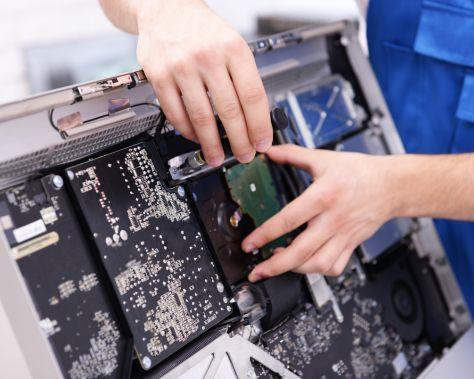
If you're running a business or working from home in Melbourne's northern suburbs, a malfunctioning PC can disrupt your entire day. Whether you're in Sunbury or the surrounding areas, computer problems are inevitable—but knowing what to expect can help you respond faster. Computer repairs in Sunbury have become increasingly essential as residents rely more heavily on their devices for work, study, and daily operations. Understanding the most common PC issues will help you identify problems early and avoid costly downtime.
Common PC Problems Affecting Sunbury Residents
1. Slow Performance and Freezing
The Problem
One of the most frustrating issues is when your PC becomes sluggish or freezes unexpectedly. Tasks that normally take seconds now take minutes, and applications crash without warning.
Why This Happens
Slow performance typically stems from too many background applications running simultaneously, insufficient RAM, a fragmented hard drive, or malware infections. Over time, as you install more software and accumulate files, your system struggles to keep up.
What You Can Do
Start by checking your Task Manager (Ctrl + Shift + Esc) to see which programs consume the most resources. Close unnecessary background applications. Run a full antivirus scan to rule out malware. Consider upgrading your RAM if you frequently multitask, or switching to an SSD if you're still using a traditional hard drive.
2. Hard Drive Failure or Data Loss
The Problem
Your PC won't start, or you hear clicking sounds coming from the hard drive. This is one of the most serious issues because it threatens your irreplaceable data.
Why This Happens
Hard drives have moving parts that eventually wear out, typically after 3-5 years of use. Sudden power losses, physical damage, or manufacturing defects can accelerate failure. Age and heat are silent killers of hard drive longevity.
What You Can Do
If you hear unusual sounds, stop using the drive immediately—continued use can cause permanent data loss. Regular backups to external drives or cloud storage are your best defense. Don't attempt to open the drive yourself, as this requires a clean environment.
3. Overheating Issues
The Problem
Your PC shuts down unexpectedly, especially during intensive tasks like gaming or video editing. You notice the fan running loudly and constantly.
Why This Happens
Dust accumulation inside your case restricts airflow. Dried thermal paste between the CPU and cooler reduces heat transfer efficiency. Blocked vents or a malfunctioning cooling fan prevent proper temperature regulation.
What You Can Do
Power down your PC and carefully open the case. Use compressed air to remove dust from fans, heatsinks, and vents—do this outdoors to avoid spreading dust around. Ensure cables aren't blocking airflow. If you're comfortable doing so, you can reapply thermal paste to the CPU, or seek professional help.
4. Software Crashes and Blue Screen Errors
The Problem
Windows displays the dreaded Blue Screen of Death (BSOD), or specific applications crash repeatedly with error messages.
Why This Happens
Incompatible drivers, corrupted Windows files, faulty software installations, or hardware conflicts cause these errors. Outdated operating systems and drivers leave your system vulnerable.
What You Can Do
Update your Windows operating system and all drivers through Device Manager or manufacturer websites. Restart your PC in Safe Mode to isolate the problem. Run the Windows System File Checker (sfc /scannow in Command Prompt). If crashes persist after these steps, professional diagnostics may be necessary.
5. Virus and Malware Infections
The Problem
Unexpected pop-ups appear, your browser homepage changes without permission, or your PC is noticeably slower. You might notice unfamiliar programs in your system tray.
Why This Happens
Malware spreads through suspicious email attachments, fake software downloads, untrustworthy websites, or unpatched security vulnerabilities. Without proper antivirus protection, your system is exposed.
What You Can Do
Install reputable antivirus software like Windows Defender, Malwarebytes, or Bitdefender. Run regular full system scans. Don't open email attachments from unknown senders. Be cautious when downloading software—use official sources only. Keep Windows updates current, as they patch security holes.
6. Power Supply Problems
The Problem
Your PC won't start, randomly shuts down during use, or components fail intermittently. The power supply might emit a burning smell or sound.
Why This Happens
Power supplies have a limited lifespan, typically 5-10 years. Power surges, age, heat exposure, and component failure inside the unit can damage it. A failing power supply is dangerous because it can damage other components or create a fire hazard.
What You Can Do
If the power supply smells like burning plastic, stop using your PC immediately. Use a surge protector to shield against power spikes. Have a professional test your power supply to confirm whether replacement is needed.
7. Network and Connectivity Issues
The Problem
You can't connect to the internet, your connection drops frequently, or your Wi-Fi is extremely slow even when sitting next to the router.
Why This Happens
Outdated network drivers, router issues, interference from other devices, distance from the router, or router configuration problems cause connectivity problems. Sometimes the issue lies with your ISP rather than your PC.
What You Can Do
Restart your router and modem by unplugging them for 30 seconds. Update your network drivers. Move closer to the router to check if it's a range issue. Open Command Prompt and run "ipconfig /all" to check your network configuration. If the problem persists, contact your internet service provider to rule out their equipment.
When Professional Help is Needed
While many PC issues have DIY solutions, some situations demand professional expertise. Computer repairs in Sunbury should be handled by technicians when you're dealing with hard drive failures, power supply issues, complex software corruption, or persistent malware infections that consumer antivirus tools can't remove. If you're uncomfortable opening your case, unfamiliar with driver updates, or if your data security is at risk, professional help protects both your equipment and your peace of mind.
Additionally, if your PC is still under warranty, DIY repairs might void coverage. Professional technicians have diagnostic tools to identify problems accurately and can often recover data from failing drives—something you cannot do safely yourself.
Conclusion: Stay Proactive with Your PC Maintenance
PC problems are common, but many are preventable with regular maintenance and awareness. By understanding these seven issues, you're better equipped to recognize problems early and take appropriate action. Simple habits like keeping your system updated, maintaining proper ventilation, backing up your data, and using antivirus protection will extend your PC's lifespan significantly.
When issues do arise, don't panic. Start with basic troubleshooting, but recognize when professional intervention is necessary. Whether you're in Sunbury or anywhere across Melbourne, taking your computer seriously ensures it remains a reliable tool for productivity and peace of mind.

 English
 Arabic
 French
 Portuguese
 Deutsch
 Turkish
 Dutch
Dutch
 Italiano
 Russian
 Romaian
 Portuguese (Brazil)
 Greek
Greek