


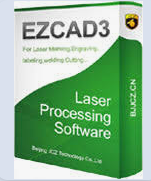
In the modern laser industry, efficiency, precision, and reliability are crucial for achieving superior results. Whether you operate fiber laser machines, CO2 lasers, or engage in laser marking and cutting, the right software can make a significant difference. EZCAD has emerged as a leading laser control software, offering seamless operation, intuitive interfaces, and compatibility with a wide range of laser systems. For industrial users, repair technicians, and laser machine owners, understanding EZCAD download options and integration is key to maximizing performance. In this guide, we will explain everything about obtaining EZCAD and optimizing it for your laser machines.
What is EZCAD?
EZCAD is a professional laser control software widely used in industrial laser marking, engraving, and cutting applications. It provides precise control over laser output, supports complex vector and raster graphics, and allows customization of marking parameters to meet exact specifications. Compatible with most fiber and CO2 laser machines, EZCAD streamlines workflows for manufacturers, repair shops, and industrial production lines.
Key Features Include:
-
Support for multiple laser types (fiber, CO2, UV)
-
High-speed marking and engraving
-
Vector and raster image processing
-
Layered design management for complex projects
-
Real-time preview of marking results
By leveraging EZCAD, industrial users can reduce downtime, improve marking accuracy, and ensure consistent quality across production batches.
How to Download EZCAD
Downloading EZCAD is simple, but it requires attention to compatibility with your laser hardware. Here’s a step-by-step overview:
-
Check Compatibility: Ensure your laser machine’s control board supports EZCAD. Most fiber and CO2 lasers with EZCAD-compatible drivers will function without issues.
-
Visit Official Sources: Always download from trusted suppliers or the official EZCAD provider to avoid corrupted or unsafe software. LaserChina provides genuine guidance and support for EZCAD downloads for industrial users.
-
Select the Correct Version: EZCAD has multiple versions (EZCAD 2, EZCAD 3) depending on your machine type and required features. Verify which version suits your laser system.
-
Installation: Follow on-screen instructions. Typically, installation requires administrative rights and may include driver integration for your laser controller.
-
Activation & Testing: After installation, connect your laser system and perform a test marking to verify full functionality.
Benefits of Using EZCAD for Industrial Lasers
For laser machine owners and technicians, integrating EZCAD brings several tangible advantages:
-
Precision and Accuracy: Adjustable parameters like speed, power, and frequency ensure precise marking, even on challenging materials like metals or plastics.
-
Time Efficiency: Batch processing and real-time previews reduce trial-and-error time.
-
Flexibility: EZCAD supports a variety of file formats including BMP, DXF, AI, and PLT.
-
Reduced Maintenance Downtime: By ensuring smooth operation, EZCAD minimizes errors that could lead to unnecessary machine wear.
At LaserChina, we complement EZCAD with high-quality laser parts, including fiber laser modules, CO2 tubes, cutting heads, mirrors, and lenses. This ensures optimal performance and longevity for your laser system.
Integrating EZCAD with LaserChina Components
Using genuine laser parts from LaserChina enhances your EZCAD experience:
-
Fiber Laser Modules: Maximize marking speed and consistency for metal applications.
-
CO2 Laser Tubes: Ideal for engraving non-metallic materials like acrylic, wood, and leather.
-
Laser Lenses and Mirrors: Ensure precise beam focus, reducing errors and improving cut/mark quality.
-
Cutting Heads and Optics: Integrate seamlessly with EZCAD for high-speed and high-accuracy operations.
Our technical team can provide guidance on which components work best with EZCAD software for your specific laser setup, ensuring minimal downtime and optimal performance.
FAQs About EZCAD Download
Q1: Is EZCAD compatible with all laser machines?
A: EZCAD supports most fiber, CO2, and UV laser systems, but compatibility depends on your machine’s control board and drivers. Always check before downloading.
Q2: Can I use EZCAD on multiple machines?
A: EZCAD licenses are typically tied to specific controllers. Check your license terms before installing on multiple systems.
Q3: Where can I safely download EZCAD?
A: Official distributors or verified suppliers like LaserChina provide safe and genuine EZCAD download links, minimizing risk of malware or corrupted software.
Q4: Does EZCAD require internet to operate?
A: Once installed and activated, EZCAD operates offline, though updates may require internet access.
Q5: Can LaserChina help with installation and setup?
A: Yes. Our technical support team guides customers through EZCAD installation, calibration, and optimization for your laser system.
Why Choose LaserChina for Your Laser Software and Parts
At LaserChina, we combine industry-leading laser hardware with expert software guidance. Our customers benefit from:
-
High-quality, genuine laser parts
-
Expert technical support for EZCAD download and integration
-
Custom solutions for industrial marking, engraving, and cutting
-
Long-term reliability and improved production efficiency
Whether you are upgrading your laser system or performing maintenance, our team ensures your EZCAD installation and laser components operate flawlessly together.
Get Started Today
Ready to enhance your laser machine’s performance? Download EZCAD safely and integrate it with LaserChina’s premium laser parts for maximum efficiency and precision. Contact LaserChina today to explore our full range of laser modules, optics, and cutting heads — and get expert support for EZCAD setup tailored to your industrial needs.

 English
 Arabic
 French
 Spanish
 Portuguese
 Deutsch
 Turkish
 Dutch
Dutch
 Russian
 Romaian
 Portuguese (Brazil)
 Greek
Greek