


Understanding DST, PES, EXP, & Other Machine Embroidery File Formats
With so many embroidery file formats out there, confusion usually starts when embroiderers do not know which format works with which machine. You download a design but suddenly you see names like DST, PES, EXP, or JEF. I'm pretty sure almost every beginner goes through this stage. Different embroidery machines read different embroidery files & that’s why understanding these formats actually matters.
A lot of people think all embroidery files work the same way but this is not true. Every machine brand reads stitch data differently, as well as thread colors, stitch paths & design information. That’s why digitizers save designs in multiple formats before sending them to customers.
What is a DST File in Machine Embroidery?
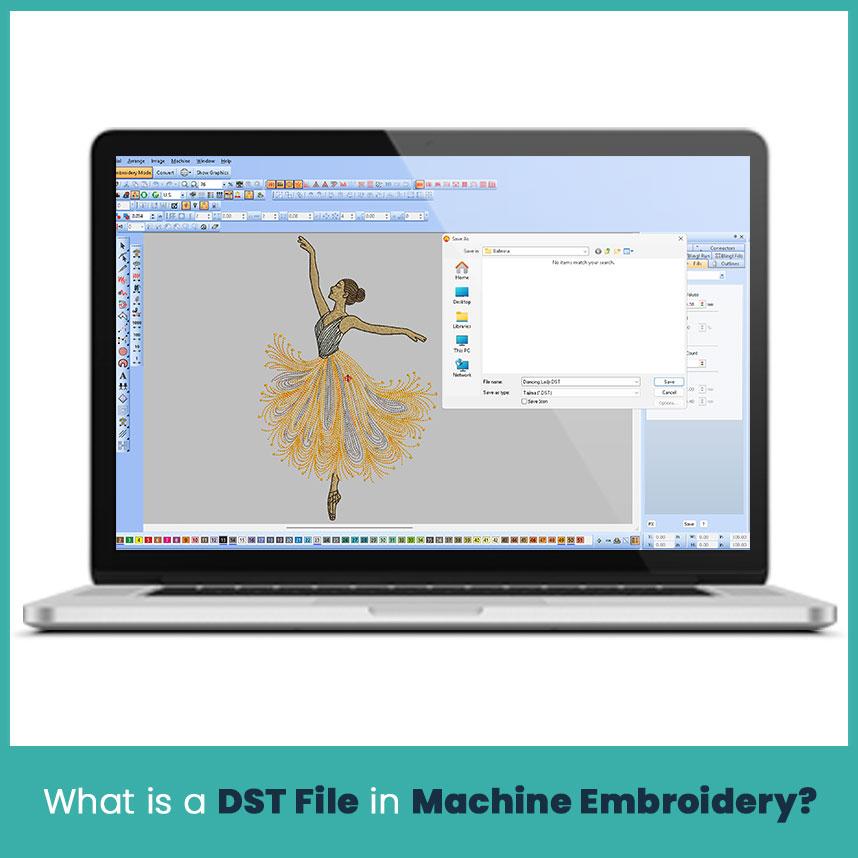
DST is one of the oldest and most common machine embroidery file types used in commercial embroidery. Tajima originally developed this format, and eventually many embroidery machine brands started supporting it because of its simple and stable structure. DST files mainly store stitch commands instead of detailed editing information.
Actually, most embroidery companies use DST file format because commercial machines read it smoothly during production. It works well for logos, left chest embroidery, custom hats embroidery, uniforms, and bulk embroidery projects where clean stitching matters more than editing flexibility.
Which Embroidery Machine Supports DST Format?
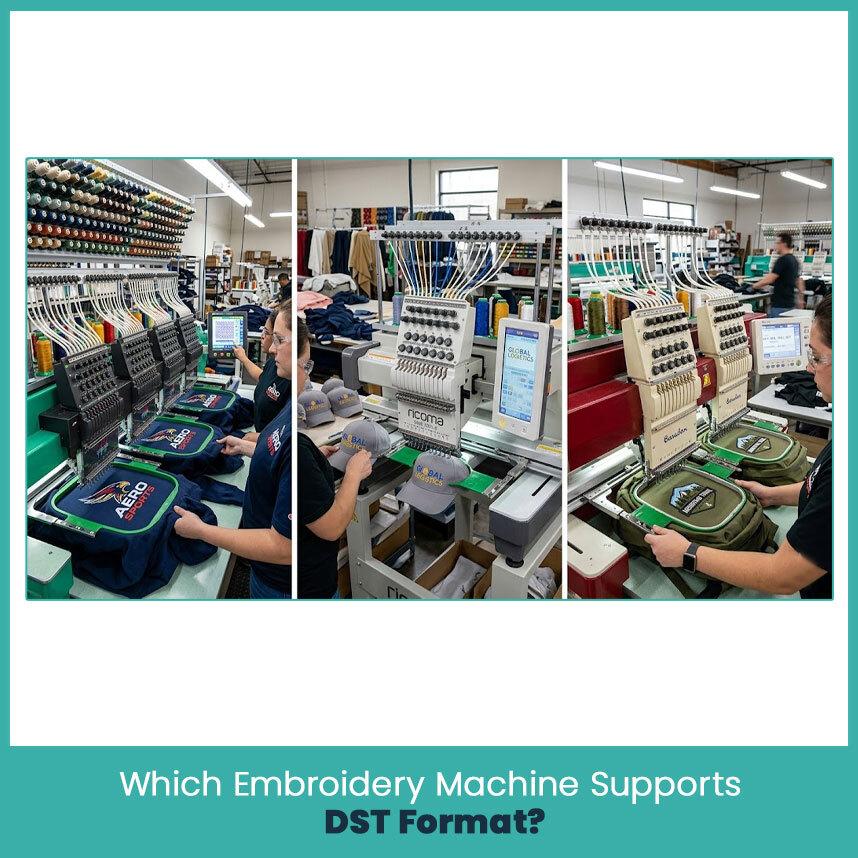
Many commercial embroidery machines support DST format because it became an industry standard years ago. Tajima machines use it heavily but brands like Barudan, SWF, Ricoma, Happy Japan, ZSK, and Melco also read DST files without major problems. By the way, several home embroidery software programs can open DST files too, even if the home machine itself prefers another format for stitching.
What is a PES File Used For?
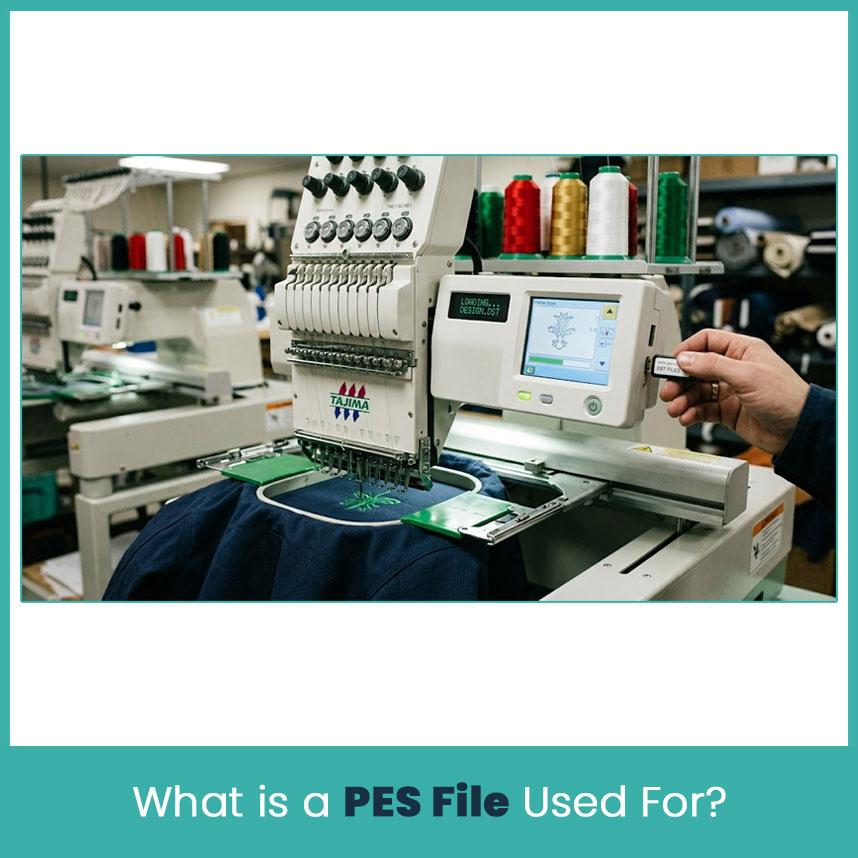
PES files are commonly linked with Brother and Baby Lock embroidery machines. This format stores stitch information together with color data and some design settings, which makes it more useful for home embroidery users. Many hobby embroiderers like this format because the design preview appears correctly on the machine screen.
A pes file embroidery design usually works best for decorative embroidery, monograms, custom gifts, and smaller home embroidery projects where color organization matters during stitching.
Which Embroidery Machine Supports PES Format?

Brother embroidery machines mainly support PES files, including many PE-Design compatible models. Baby Lock machines also use PES because both brands share similar embroidery technology. Some combination sewing and embroidery machines from these brands read PES files directly through USB transfer.
Other Important Embroidery Formats You Should Know
EXP Format
EXP format is widely connected with Melco and Bernina embroidery systems. It stores stitch movement data in a lightweight structure, which helps machines process designs quickly during embroidery runs. Many professional digitizers still use EXP when working with commercial production work.
-
EXP files usually load faster on commercial machines.
-
They work well for clean logo embroidery projects.
JEF Format
JEF format belongs mainly to Janome embroidery machines. It contains stitch data together with hoop sizing information, which helps Janome users position designs correctly before stitching starts. Mostly beginners work with JEF because Janome machines remain popular in home embroidery setups.
-
JEF files support Janome hoop settings directly.
-
Home embroideres commonly use this format.
VP3 Format
VP3 is used mostly by Husqvarna Viking and Pfaff embroidery machines. This format stores detailed color and design information, making previews easier on advanced embroidery screens. The file structure also supports smoother scaling inside supported software programs.
-
VP3 files keep color sequence information organized.
-
They support modern embroidery machine displays well.
HUS Format
HUS format works mainly with older Husqvarna Viking embroidery machines. Even though newer systems use VP3 more often now, many embroidery businesses still keep HUS support because older machines continue running reliably.
-
HUS files remain useful for older embroidery systems.
-
Many legacy Viking machines still read this format.
XXX Format
XXX files are common in Singer embroidery machines and some older software programs. This format contains stitch points and embroidery path data used during machine stitching.
-
XXX files support many older embroidery setups.
-
Singer embroidery users still work with this format regularly.
EMB Format
EMB is actually an editable object-based embroidery file created in Wilcom software. Unlike machine ready files, EMB stores complete editing information including stitch settings, objects, densities, and underlay settings.
-
Digitizers use EMB for editing and adjustments.
-
Machines normally can’t stitch EMB files directly.
ART Format
ART files belong mostly to Bernina embroidery software systems. These files contain editable embroidery object information instead of simple stitch commands.
-
ART files help digitizers edit designs later.
-
Bernina software handles ART files smoothly.
CND Format
CND files are linked with Melco Condensed embroidery systems. They are less common today compared to DST or PES but some embroidery businesses still use them for older machine setups.
-
CND files mostly appear in older embroidery workflows.
-
Some Melco systems still support this format today.
Embroidery Machine Support for These Formats
EXP files mostly work with Melco and Bernina systems. JEF files belong mainly to Janome embroidery machines. VP3 and HUS formats are common in Husqvarna Viking and Pfaff machines. Singer embroidery machines usually support XXX files, while EMB and ART formats are more software based editing formats instead of direct production files. CND format appears mostly in older Melco embroidery versions.
Top Embroidery File Formats Used in the Embroidery Industry
DST
DST remains one of the most trusted commercial embroidery formats because of its stable stitch processing. Large embroidery production shops use it daily for caps, uniforms, jackets, and logo embroidery.
-
DST files run smoothly on commercial machines during bulk production orders.
-
The format stays simple, lightweight, and production friendly.
PES
PES format stays popular among home embroidery users because it stores color information together with stitch data. Brother and Baby Lock users work with it pretty often.
-
PES helps organize thread color changes clearly.
-
Many home embroidery machines support PES directly.
EXP
EXP files process embroidery stitch paths quickly, especially in commercial embroidery machines where speed matters during production.
-
EXP works well for production focused embroidery workflows.
-
Several professional embroidery systems support EXP files.
JEF
Janome users rely on JEF for embroidery positioning and hoop compatibility during stitching.
-
JEF files support Janome machine functions properly.
-
Home embroidery beginners commonly use this format.
Why Different Embroidery Machines Need Different Formats
Embroidery machines don’t all read stitch information the same way. Every manufacturer builds its own software system, control panel structure, and stitching process. Because of that, machines require different file formats to read embroidery designs correctly.
Some formats store only stitch commands, while others include thread colors, hoop settings, design previews & editing information. Basically, if you load the wrong format into a machine, the design may not open correctly or stitch properly.
How to Save Embroidery Files Correctly
-
Always save the original editable file before exporting machine formats. This helps later if you need size changes or stitch adjustments.
-
Match the embroidery file with the machine brand before project starts. Wrong formats can create stitching errors or missing design details.
-
Keep design sizes close to the original digitized version. Large resizing sometimes damages stitch density and pull compensation settings.
-
Organize embroidery files inside labeled folders by customer or machine type. It saves time during repeat production projects later.
-
Test stitch important designs before final design runs. Small test runs help catch thread breaks, paths and other issues early.
FAQs
What are the key differences between DST and PES embroidery file formats?
DST mainly stores stitch commands for commercial embroidery, while PES stores stitch data together with color and design information for Brother style machines.
What are the key differences between common embroidery file types?
Different embroidery files store different levels of stitch, color, editing, and hoop information depending on machine compatibility.
How to convert embroidery files from DST to PES format?
You can convert embroidery files using embroidery software like Wilcom, Hatch, Embrilliance, or PE-Design.
Can you explain the purpose of DST and PES files in home embroidery?
DST helps with clean machine stitching, while PES supports better color handling and machine previews for home embroidery users.
Which software supports editing DST and PES embroidery files?
Wilcom, Hatch, Pulse, Embrilliance, Chroma, and PE-Design support DST and PES editing.
Which embroidery format is considered most versatile across various machine brands?
DST is usually considered the most widely supported embroidery format across commercial embroidery machines.
What information is stored within an EXP embroidery file structure?
EXP files mainly store stitch movement and embroidery path information used during machine stitching.
What are the best machines compatible with DST and PES embroidery files?
Tajima, Ricoma, SWF, and Barudan commonly support DST, while Brother and Baby Lock support PES formats.

 English
 Arabic
 French
 Spanish
 Portuguese
 Deutsch
 Turkish
 Dutch
Dutch
 Italiano
 Russian
 Portuguese (Brazil)
 Greek
Greek