


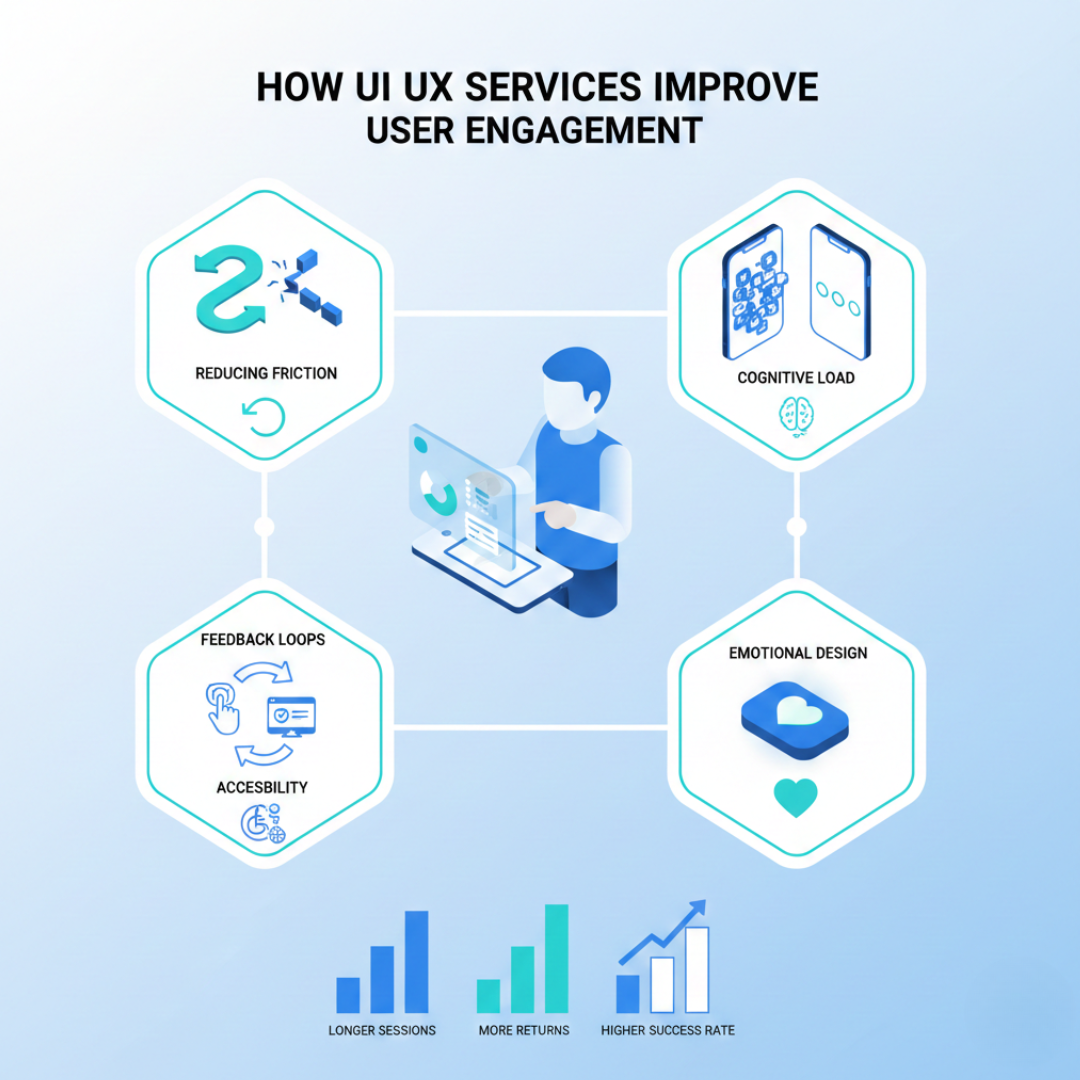
UI UX services improve user engagement by reducing friction, guiding users toward their goals faster, and creating interfaces that respond to actual user behavior. When users find a product easy to understand and satisfying to use, they stay longer, return more often, and complete more actions.
Engagement is not about keeping users busy. It is about helping them succeed with less effort. That distinction shapes every decision a skilled design team makes.
The Direct Link Between Usability and Engagement
Users do not abandon products because they lack features. They leave because the experience frustrates them.
A button that is hard to find, a form that asks for too much information, or a checkout process with unnecessary steps all create friction. Each friction point increases the chance a user will quit and not return.
Professional UI UX services identify where users struggle and remove those barriers. The result is not just a prettier interface but a product that people actually want to use repeatedly.
Reducing Cognitive Load
Every screen asks users to make decisions. When there are too many choices, unclear labels, or confusing layouts, the mental effort required goes up.
High cognitive load leads to:
-
Decision fatigue
-
Increased errors
-
Slower task completion
-
Higher abandonment rates
Good design presents information in digestible pieces. It prioritizes what matters most and hides complexity until users need it. A banking app that shows every account detail on the home screen overwhelms users. A better approach displays the primary balance prominently and lets users tap for additional details when needed.
When users do not have to think hard about how to use a product, they engage with what the product actually offers.
Creating Clear Feedback Loops
Users need to know their actions matter. When someone clicks a button, submits a form, or completes a task, the interface should respond immediately and clearly.
Feedback loops include:
-
Visual confirmation when an action succeeds
-
Progress indicators during loading or multi-step processes
-
Error messages that explain what went wrong and how to fix it
-
Micro-interactions that acknowledge user input
Without feedback, users feel uncertain. They click buttons multiple times, refresh pages unnecessarily, or assume the product is broken. Proper feedback builds confidence and encourages continued interaction.
Designing for User Intent
Skilled designers study what users are trying to accomplish, not just how they click through screens.
Understanding intent means asking questions like:
-
What brought this user to the product?
-
What does success look like for them?
-
What information do they need at each step?
When an interface aligns with user intent, engagement happens naturally. Users feel the product "gets" them. A food delivery app user wants to order quickly. Remembering previous orders and minimizing clicks between hunger and confirmation serves that intent directly.
Emotional Design and Trust Signals
Engagement is not purely rational. How a product makes users feel directly affects whether they continue using it.
Trust signals include consistent branding, professional visual design, clear privacy information, and visible contact options. These elements reduce anxiety, especially for products that handle sensitive data or financial transactions.
Emotional design also considers moments of delight. A well-timed animation or a celebratory confirmation screen can turn a routine task into a positive experience. Users remember how products make them feel.
Mobile and Cross-Device Consistency
Most users interact with products across multiple devices. A person might discover a service on their phone, research it on a tablet, and complete a purchase on a laptop.
Inconsistent experiences across devices break engagement. If the mobile version is difficult to use or looks completely different from the desktop version, users lose confidence.
Strong ui ux services account for all screen sizes and input methods. They create design systems that maintain consistency while adapting to different contexts.
Accessibility as an Engagement Driver
Accessible design is not just about compliance. It directly affects how many users can engage with a product.
Consider users who have vision impairments, experience motor difficulties, are in bright sunlight, or have slow internet connections. When a product excludes these users, it loses potential engagement and revenue.
Accessibility improvements often benefit all users by creating cleaner, more logical interfaces. Keyboard navigation, for instance, helps power users move faster even if they have no accessibility needs.
Measuring Engagement Improvements
Design changes should connect to measurable outcomes. Common engagement metrics include:
-
Session duration
-
Return visit frequency
-
Feature adoption rates
-
Task completion rates
-
Net Promoter Score
Tracking these metrics before and after design changes shows the real impact of design work. Data also guides future improvements by revealing which changes had the greatest effect.
Why Internal Teams Often Miss Engagement Problems
Product teams become blind to usability issues over time. They know how the product works, so they cannot see it through fresh eyes.
External design professionals bring objectivity. They notice confusing labels, illogical flows, and missing feedback that internal teams overlook. This outside perspective often identifies quick wins that significantly improve engagement without major development effort.
Conclusion
User engagement improves when products become easier to use, respond clearly to user actions, and align with what users are actually trying to accomplish. Reducing friction, building trust, maintaining consistency across devices, and designing for accessibility all contribute to keeping users active and satisfied.
The value of professional design work shows up in measurable behavior changes: longer sessions, more completed tasks, and users who return by choice.
FAQs
Q.1 How quickly can design changes affect user engagement?
Ans: Some changes show results within days, especially fixes to major friction points. Broader improvements typically become measurable within four to eight weeks.
Q.2 What is the difference between UI and UX in terms of engagement?
Ans: UX focuses on the overall experience, including task flows and information structure. UI focuses on visual design and interface elements. Both contribute to engagement.
Q.3 Can good UX design reduce customer support costs?
Ans: Yes. When users can complete tasks without confusion, they submit fewer support tickets. Clear error messages prevent many common support requests.
Q.4 How do I know if my product has engagement problems?
Ans: High bounce rates, short session durations, low feature adoption, and frequent usability complaints all indicate engagement issues worth investigating.
Q.5 Is user testing necessary for every design project?
Ans: Testing with real users catches problems that internal reviews miss. Even small-scale testing with five to ten users reveals the majority of usability issues.

 English
 Arabic
 French
 Spanish
 Portuguese
 Deutsch
 Turkish
 Dutch
Dutch
 Italiano
 Romaian
 Portuguese (Brazil)
 Greek
Greek