


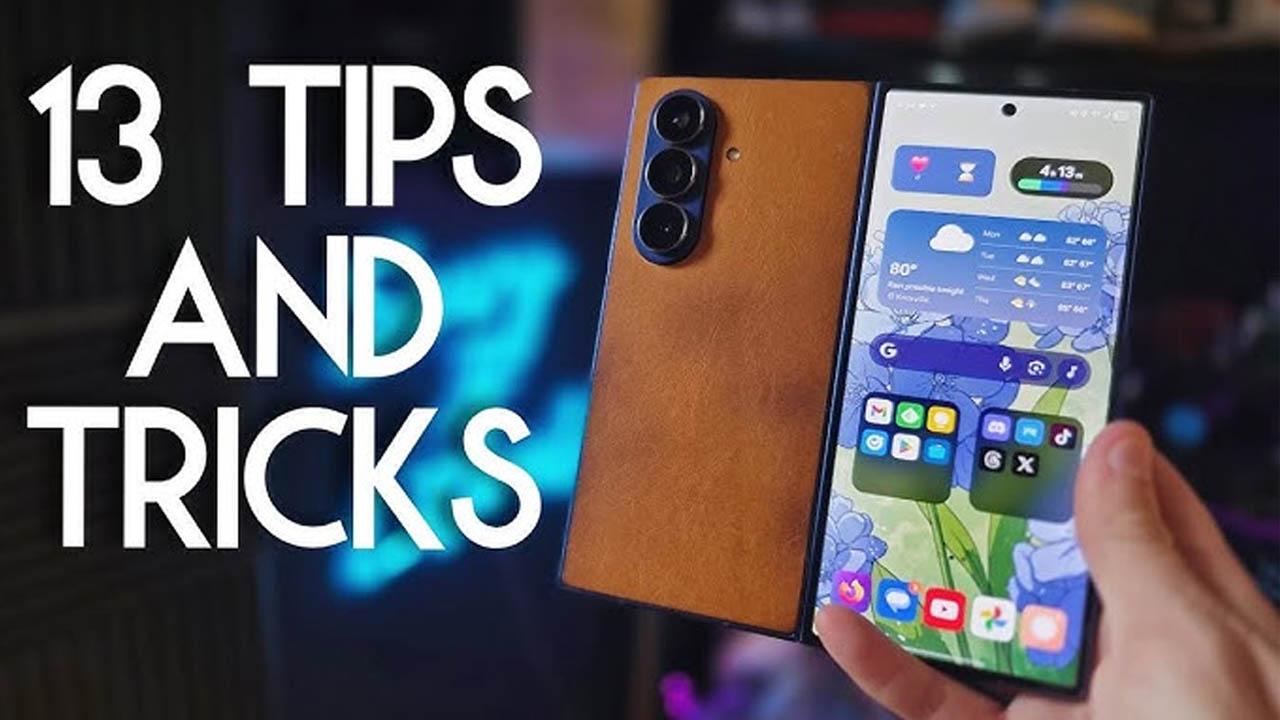
Foldable phones represent the next stage of smartphone innovation. Devices with flexible screens allow users to switch between compact phone mode and large tablet-like displays. While the hardware is impressive, the real value lies in software features designed specifically for foldable screens. Understanding how to use these features can greatly enhance productivity, entertainment, and device longevity.
1. Master Multi-Window and Split Screen
One of the biggest advantages of foldable phones is multitasking. Large inner displays allow you to run two or three apps simultaneously. Learn how to activate split screen and multi-window modes from the taskbar or recent apps menu. You can browse the web while taking notes, watch videos while chatting, or manage emails alongside documents. Adjust window sizes to suit your workflow for maximum efficiency.
2. Use App Continuity Properly
App continuity allows apps to transition smoothly when you unfold or fold your phone. For example, a video or webpage opened on the outer screen automatically expands on the inner display. Ensure app continuity is enabled in system settings so your experience remains seamless. This feature is especially useful for reading, gaming, and social media browsing.
3. Customize the Taskbar
Many foldable phones include a tablet-style taskbar when unfolded. This allows quick access to frequently used apps and recent activities. Customize the taskbar by pinning essential apps and removing unnecessary ones. A well-organized taskbar reduces navigation time and improves productivity.
4. Protect the Foldable Display
Foldable displays are more delicate than traditional screens. Avoid pressing too hard on the screen, especially near the crease. Clean the display with a microfiber cloth and avoid using sharp objects or excessive pressure. Always use the original screen protector provided by the manufacturer, as removing it can damage the screen.
5. Optimize Apps for Large Screens
Not all apps are fully optimized for foldable displays. Some may appear stretched or awkward. Check display settings to force apps into optimized or tablet mode when available. Using apps designed for large screens improves layout, readability, and overall usability.
6. Use Flex Mode and Partial Folding
Flex Mode allows you to partially fold your phone and use it like a mini laptop or camera stand. This is ideal for video calls, hands-free video watching, photography, and time-lapse recording. Experiment with different angles to find the most comfortable setup for your needs.
7. Improve Battery Life with Smart Usage
Foldable phones have large screens that consume more power. Use the outer display for quick tasks like calls, messages, and notifications to save battery. Reduce screen brightness, enable dark mode, and close unused apps running in split screen. Managing multitasking wisely can significantly extend battery life.
8. Enable Drag and Drop Features
Many foldable phones support drag and drop between apps when using split screen. You can drag images, text, and files from one app to another seamlessly. This feature is especially useful for content creation, note-taking, and productivity tasks.
9. Adjust Display Scaling and Zoom
Large screens may feel uncomfortable if text and icons appear too small. Adjust display scaling, font size, and zoom levels to match your preference. Proper scaling improves readability and reduces eye strain during long usage sessions.
10. Use the Outer Screen Efficiently
The outer screen is designed for quick interactions. Customize it with essential widgets, notifications, and shortcuts. Using the outer screen for simple tasks reduces wear on the inner foldable display and helps conserve battery.
11. Camera Tricks Using Foldable Design
Foldable phones offer unique camera capabilities. You can use the main camera for selfies by using the outer screen as a preview. Flex Mode also allows hands-free photography and stable video recording without a tripod. These features help you capture better photos and videos effortlessly.
12. Manage App Layouts for Productivity
Some foldable phones allow you to save app pair or app group layouts. This lets you open multiple apps together with a single tap. Create layouts for work, entertainment, or communication to save time and streamline multitasking.
13. Reduce Crease Visibility
While the crease is unavoidable, you can reduce its visibility by adjusting brightness and viewing angles. Dark mode and darker wallpapers make the crease less noticeable. Avoid focusing light directly on the crease during use.
14. Keep Software Updated
Foldable phones rely heavily on software optimization. Regular updates bring improved multitasking, better app compatibility, and performance enhancements. Keeping your device updated ensures you get the best possible experience from your foldable phone.
15. Use Secure Folding Habits
Always close your foldable phone gently. Avoid folding the device when debris or dust is present on the screen. Small particles can damage the display over time. Developing careful folding habits increases the lifespan of your device.
16. Explore Hidden Gestures
Foldable phones include gestures optimized for large screens, such as multi-finger swipes for split screen or quick app switching. Learning these gestures reduces dependency on buttons and improves navigation speed.
17. Use Cloud Sync and Backup
Foldable phones are premium devices, and protecting your data is essential. Enable automatic cloud backup for photos, videos, and important files. This ensures your data remains safe even if the device is damaged.
Final Thoughts:
Foldable phones offer a powerful combination of smartphone portability and tablet-level productivity. By learning and applying these tips and tricks, you can unlock their full potential, improve daily efficiency, and protect your investment. Foldable technology is still evolving, and users who understand these features will enjoy a smarter and more versatile mobile experience.

 English
 Arabic
 French
 Spanish
 Portuguese
 Deutsch
 Turkish
 Dutch
Dutch
 Italiano
 Romaian
 Portuguese (Brazil)
 Greek
Greek