


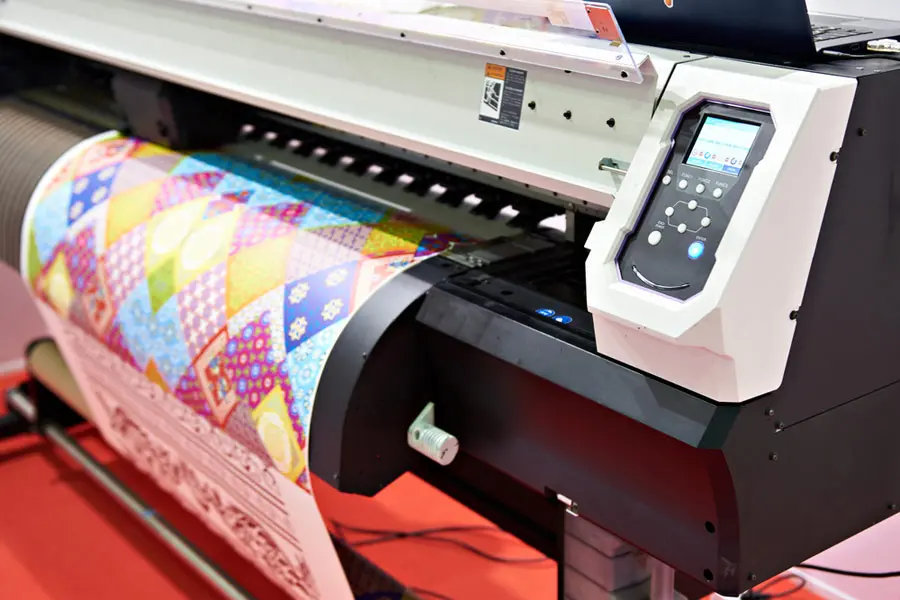
Work setups do not always need A4-size prints. At times, the authorities need to work on large blueprints, graphics, or more. A simple office printer cannot help with that. Large-format printers can secure the perfect-sized and high-quality prints.
Getting a large-format printer does not mean you will get the desired results. You need to optimize the device and fine-tune it according to your needs to utilize it efficiently and get the best results.
Scroll down to the details of this article to learn and explore how you can use large format printers efficiently and secure high-quality results, along with boosting printer lifetime.
Top 5 Tips To Use Large Format Printers Effectively
Large-format printers are the go-to option for high-quality, bulk printing. These are used to print banners, posters, signage, and more. Large-format printing promises the desired results and prevents potential wastage. Sticking to the best practices or recommended tips and tricks is the only way to maximize your outcomes.
Here are the tried and tested tips you can follow to use a large-format printer effectively.
Optimize Print Quality
Optimizing the print quality is the first tip to use your large-format printer efficiently. You must fine-tune the resolution of the printer and color settings according to your requirements. In case you are working with close-up displays, a higher resolution setting is ideal. Choose low resolution for the larger graphics that are viewed from a distance. You must also follow the manufacturer's recommended ink, toner, cartridges, papers, and other supplies to get consistent and accurate results. Monitor the performance of your printer device, compare it with the standard metrics, and take action for betterment, if required. Make sure to get the printer from a reputable manufacturer to ensure high-quality results.
Perform Test Prints
Performing test prints is the next tip you can follow to use a large-format printer efficiently. You must perform a print test and check the printer settings first, instead of implementing optimization settings right away. The print test can show the color settings, potential mismatches, alignment issues, banding, and more issues. Implementing quality control measures before the print test can lead to wastage of media, ink, and other resources. Implementing changes after the print test can show you what exactly you need to optimize. You can adjust the settings and ensure the final prints align with your requirements without wasting any resources.
Use Modern Technologies
Relying on modern technologies is the next tip to use your large format printers efficiently. Instead of sticking to the same old printing practices, install the latest software, tools, and technologies to better handle your print management. Follow the software for color management, image processing, layout settings, and more. You can also rely on software to monitor printer performance, track your supplies, and material usage. Give up on the manual management as it takes a lot of time, without even promising high-quality results. You can also opt for print management services to avoid the hassle and let experts streamline everything for you.
Maintain and Troubleshoot
Regular maintenance and troubleshooting are necessary to utilize large-format printers efficiently. Dirt, debris, and ink residue can clog the printheads. Do not leave them untouched for long, and plan periodic cleaning. Even if you keep the device in a dust-free area, it can catch dust from papers, so store papers in a clean space too. Pay attention to the firmware and update it regularly to enjoy smooth performance. List down and schedule other system checks to keep your printer device in the best condition. In case you do not have enough time to look after the maintenance of the device, you can opt for printer rental instead of buying.
Contact experts at Xeratek and explore the best large-format printers to get your needs fulfilled without spending time on maintenance.
Reduce Waste
Reducing the waste is the last tip to use large format printers effectively. At times, the alignment of printed papers is different from the online documents. You should not rely on the document’s alignment and print it without verifying. Check the print preview and then get it done. It will significantly reduce the number of reprints and also the waste generated from them. You can generate the internal prints in draft mode and save high-resolution for high-quality final outputs. Plan your print layouts in advance and utilize the preview feature to prevent print waste. You can explore sustainability measures suitable for your device and follow them for high-quality outputs and cost savings.
Utilize Large Format Printers Efficiently For Best Results!
Sticking to the default settings of large-format printers is not the best way to utilize them. You must optimize the settings according to the print requirements of your setup. It can be hectic and confusing if you are not used to managing the printer devices. You can choose rental devices that come with optimized settings to avoid this hassle and secure high-quality results.
Read more relevant articles on https://lalinguanostra.com.

 English
 Arabic
 French
 Spanish
 Portuguese
 Turkish
 Dutch
Dutch
 Italiano
 Russian
 Romaian
 Portuguese (Brazil)
 Greek
Greek